

From Manual Communication to Automated Processes: A Digital Transformation Case Study of Enterprise Account Application and Access Management
Building an Automated Enterprise Account Application and Lifecycle Management Platform Based on Microsoft Power Platform
Customer Background
A large manufacturing company (hereinafter referred to as Company A) operates multiple internal business systems, including ERP, CRM, enterprise application platforms, and various development and testing environments. As the company continues to grow, the demand for system accounts and access permissions from employees, project members, and external collaborators has continuously increased.
In the past, when employees applied for system accounts or access permissions, the process mainly relied on emails, chat tools, and manual communication:
- Employees contacted IT personnel to request account or access permission applications;
- IT personnel reviewed the application details and determined whether approval was required;
- Department managers confirmed requests through email or verbal communication;
- Administrators logged into different business systems to manually create accounts and configure permissions;
- After completion, applicants were notified manually.
This approach worked when the number of requests was small, but as the business expanded, the following issues gradually emerged:
1. Scattered Application Channels and Lack of Process Transparency
Employees were unable to clearly understand where to submit applications and could not track application status in real time.
For example:
- Whether the application had been submitted;
- Which approval stage the request was currently in;
- Whether the account had been successfully created;
- Why the application had not yet been completed.
In many cases, employees needed to contact IT personnel again to confirm the processing status, increasing communication costs.
2. Account Creation Relied on Manual Operations
After approval, administrators needed to log into different systems separately to perform account creation, permission configuration, and notification tasks.
- Create user accounts;
- Assign access permissions;
- Send account information;
- Record account status.
A large amount of repetitive work not only consumed IT resources but also increased the risk of omissions and errors caused by manual processing.
3. Lack of Account Lifecycle Management Mechanism
For project accounts, test accounts, and external collaborator accounts, the organization previously relied on regular manual checks to identify:
- Which accounts had exceeded their usage period;
- Which projects had already ended;
- Which permissions needed to be revoked.
Due to the lack of a unified management mechanism, security risks such as long-existing unused accounts and delayed permission removal could occur.
Solution
Company A built a unified account application and lifecycle management platform based on Microsoft Power Platform, transforming the traditional process that relied on manual communication into a digital and automated workflow.
Employees no longer need to apply for accounts through email or contact IT personnel individually. Instead, they can directly access the application through Microsoft Teams to complete account requests, approvals, notifications, and lifecycle management.
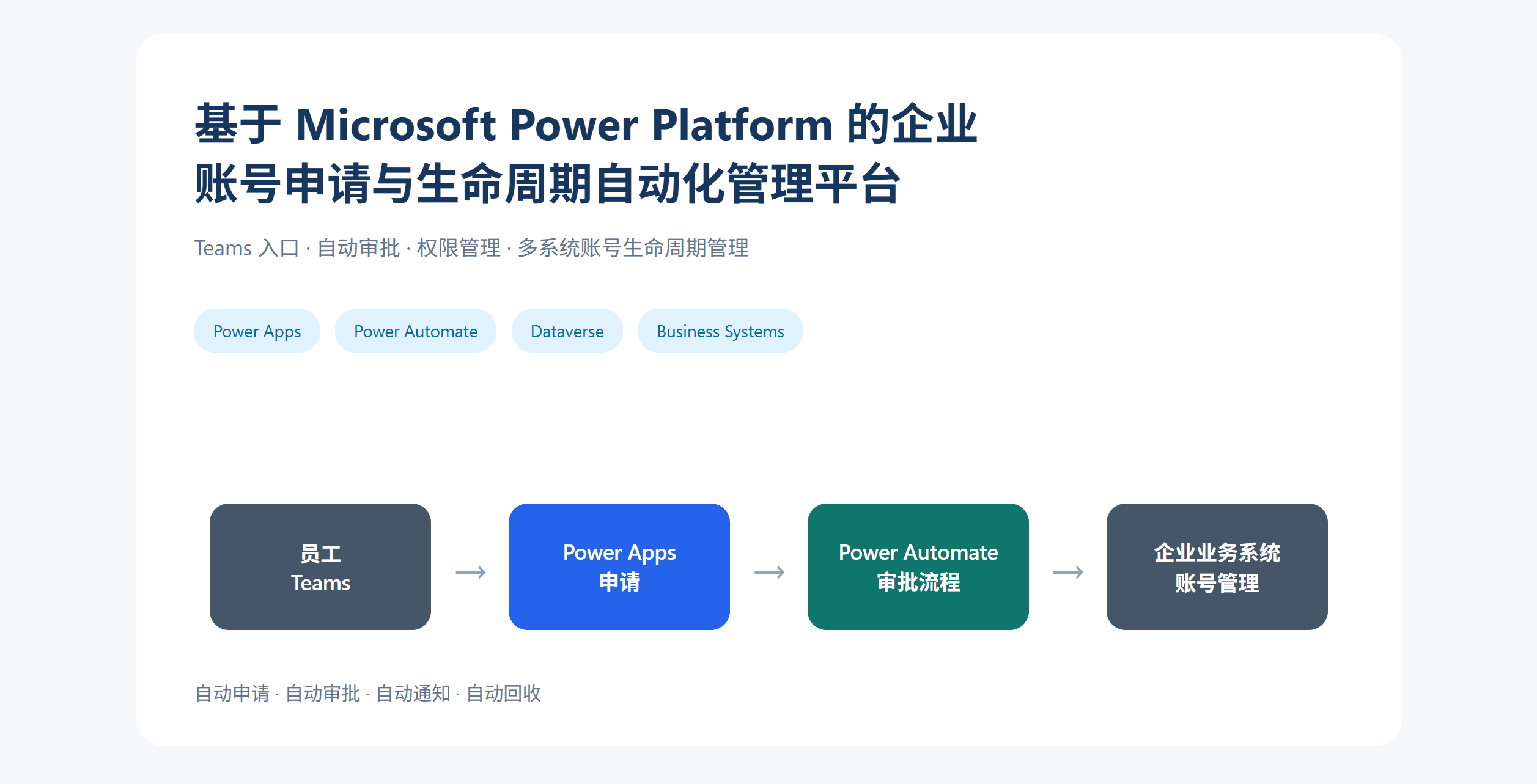
The overall architecture is as follows:
Microsoft Teams
        ↓
Power Apps
(Account Application App)
        ↓
Dataverse
(Application Records and Account Lifecycle Data)
        ↓
Power Automate
(Approval, Notification, and Automated Processing Flows)
        ↓
Enterprise Business Systems
(ERP / CRM / ServiceNow / Test Environments, etc.)
Main Features
1. Complete Account Applications within Teams
Employees submit access requests through the Power Apps application in Microsoft Teams.
Application details include:
- Target system;
- Access environment;
- Requested role;
- Usage period;
- Reason for application.
After submission, the system automatically creates an application record, eliminating the need for employees to send additional emails or contact IT personnel.
2. Automated Approval Workflow
After an application is submitted, Power Automate automatically starts the approval workflow.
Employee submits application
        ↓
Department manager approval
        ↓
IT administrator confirmation
        ↓
Automatically execute subsequent processing
Approvers can review application details and complete approvals directly within Teams. Approval records are automatically saved, ensuring the entire process is traceable.
3. Automated Account and Access Information Distribution
After approval, the system performs subsequent processing according to different business systems.
- Call system APIs to create accounts;
- Update account status;
- Assign appropriate permissions;
- Automatically send notifications.
Applicants receive system notifications and can obtain account status and access information in a timely manner, without needing to contact IT again to check progress.
4. Automated Account Validity Period Management
The system centrally manages account lifecycle information, including:
- Creation date;
- Usage period;
- Related project;
- Owner.
Power Automate automatically checks account status based on predefined rules.
Before account expiration
        ↓
Notify the owner for confirmation
        ↓
Extend the period?
 Yes          No
 ↓            ↓
Update expiration    Automatically disable account
Through automated management, the workload of manual account checking and cleanup by IT personnel is reduced, while improving access permission management security.
5. AI Query Assistant (Extended Function)
By using Copilot Studio, intelligent query capabilities are added, allowing employees to check their account application status directly within Teams.
For example:
What is the current status of my account application?
The AI assistant automatically searches application records and provides the following information:
- Application number;
- Current status;
- Expected completion time.
Implementation Benefits
By leveraging Microsoft Power Platform, Company A successfully transformed its traditional account application process that relied on manual communication into a digital, self-service, and automated process.
Employees only need to complete applications within Microsoft Teams, and the system automatically handles approvals, notifications, account management, and lifecycle maintenance. This significantly reduces repetitive operations for the IT department, improves the efficiency of internal access management, and reduces account security risks.